Introduction to ICT for Everyday Use

- Description
- Curriculum
- FAQ
- Notice
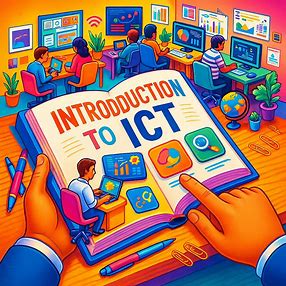
This course provides a practical, hands-on introduction to Information and Communication Technology (ICT). You will learn to navigate computers, manage files, use productivity software, browse the internet safely, and collaborate online. By the end, you will have the confidence and skills to use ICT tools effectively in real-world situations. The course combines short video lessons, interactive exercises, and practical assignments to ensure learning is engaging and actionable.
Who This Course is For:
-
Beginners with little or no ICT experience
-
Students needing digital skills for school projects
-
Professionals seeking to improve computer and online productivity
-
Anyone who wants to confidently use digital tools in daily life
Announcements / Highlights:
-
New lessons released weekly
-
Hands-on exercises included in every module
-
Optional live Q&A session every Friday
-
Certificate awarded on successful completion
Requirements / Prerequisites:
-
A computer or laptop with internet access
-
Basic ability to operate a keyboard and mouse
-
Willingness to practice and complete exercises
Course Duration: 4 weeks (3 hours per week)
Learning Outcomes:
-
Understand computer hardware and software basics
-
Navigate the internet safely and use email effectively
-
Create, edit, and organize documents, spreadsheets, and presentations
-
Use cloud storage and collaborate online efficiently
Assessment:
-
Weekly exercises and quizzes
-
Final project: Build a mini digital workspace using the skills learned
Instructor Notes / Tips:
-
Lessons are short and interactive; practice is key
-
Encourage learners to try all exercises in real time
-
Make use of optional live Q&A sessions for questions

-
1
 Lesson 1: Understanding Computers
Objectives:
-
Understand what an operating system (OS) is
-
Navigate a basic OS (Windows/macOS)
-
Create, save, and organize files and folders
Content:
-
Definition: OS manages hardware and software resources
-
Examples: Windows, macOS, Linux basics
-
File Management:
-
Creating folders
-
Saving and naming files
-
Organizing files in folders
-
Activity / Exercise:
-
Create a folder named “Week1_Practice”
-
Save a text file in that folder and rename it
-
-
2
Lesson 2: Introduction to Operating Systems
Objectives:
-
Understand what an operating system (OS) is
-
Navigate a basic OS (Windows/macOS)
-
Create, save, and organize files and folders
Content:
-
Definition: OS manages hardware and software resources
-
Examples: Windows, macOS, Linux basics
-
File Management:
-
Creating folders
-
Saving and naming files
-
Organizing files in folders
-
Activity / Exercise:
-
Create a folder named “Week1_Practice”
-
Save a text file in that folder and rename it
-
-
3
 Assessment for Week 1
Course Notices
-
Lesson Release:
New lessons are released every week. Please follow the schedule to keep up with exercises and assignments. -
Live Q&A Sessions:
Optional live Q&A sessions are held every Friday. Participation is encouraged for clarification of doubts. -
Submission Deadlines:
Weekly exercises and quizzes must be submitted before the start of the next week’s lesson. Late submissions may not be graded. -
Technical Requirements:
A computer or laptop with internet access is required. Ensure your device has a working keyboard, mouse, and updated browser. -
Course Communication:
All announcements, updates, and course materials will be shared through the online platform. Check regularly for messages and notifications. -
Certificate Eligibility:
Certificates will be awarded only to participants who complete all lessons, exercises, and the final project successfully. -
Support:
For technical issues or questions regarding course content, contact the course support team via the platform’s support link.



Step into the digital world with confidence. This course is designed for beginners who want to navigate computers, use productivity software, browse the internet safely, and collaborate online. Through short video lessons, interactive exercises, and practical assignments, you’ll gain real-world skills that make technology work for you.
-
A computer or laptop with internet access
-
Basic ability to use a keyboard and mouse
-
Willingness to complete exercises and practice regularly
-
Absolute beginners who want practical ICT skills
-
Students looking to improve digital literacy for school
-
Professionals aiming to boost productivity with technology
-
Anyone seeking confidence in everyday digital tasks